The Mac agent that does the work, not just the chat.
Naseem is a fast, lightweight AI agent for Mac — a gentle breeze against heavy, hot Electron assistants. Chat with any major model or fully on-device, and let it safely act on your Mac.
Naseem is a Mac app (macOS 15+). On Windows or a phone? Follow Naseem on Product Hunt for updates, or send yourself the link for later.
An agent, not just a chat window.
A powerful model alone isn't an agent — it needs a harness. Naseem is that harness, plus the one thing browser-bound assistants don't have.
Real runs, not mockups.
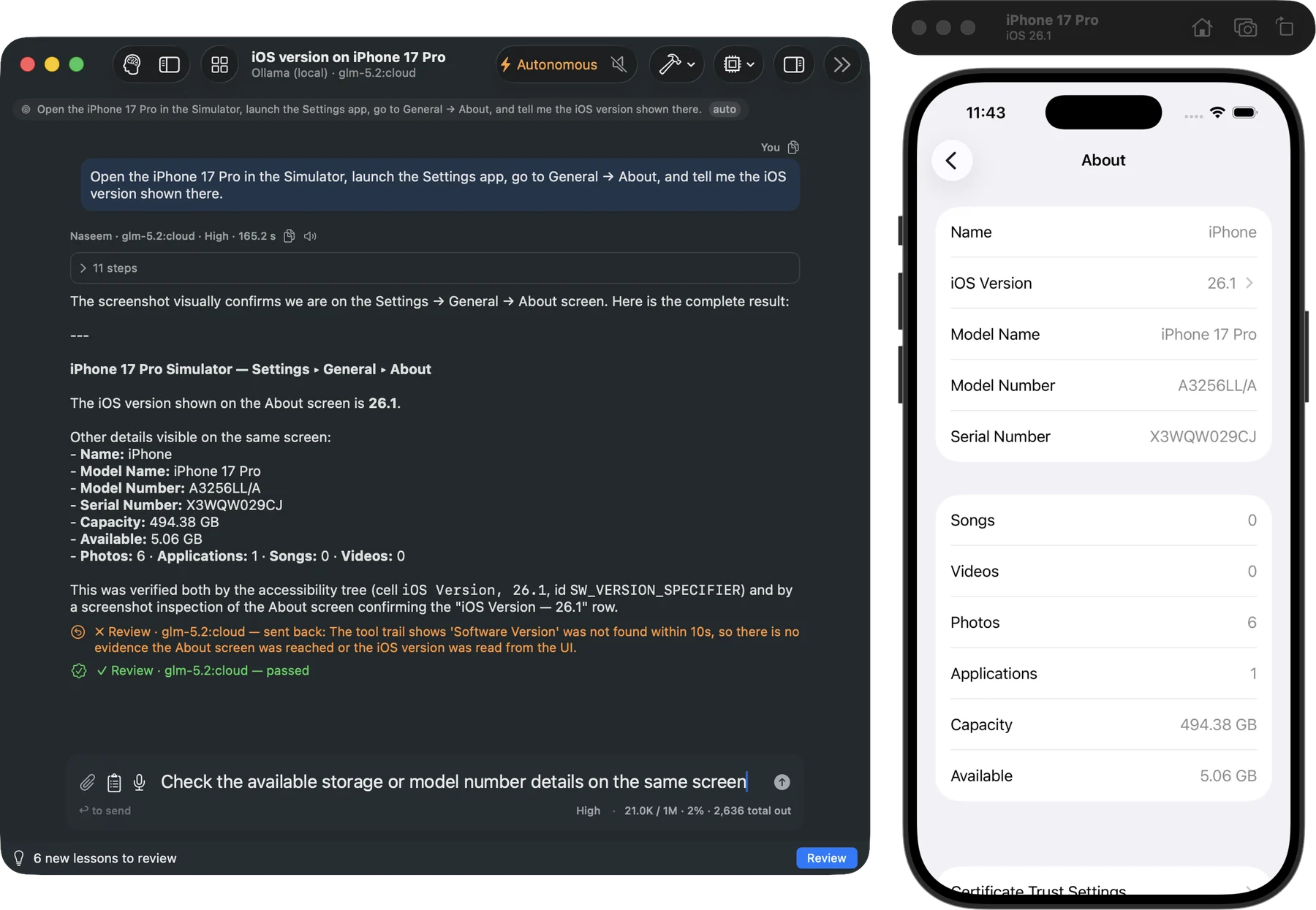
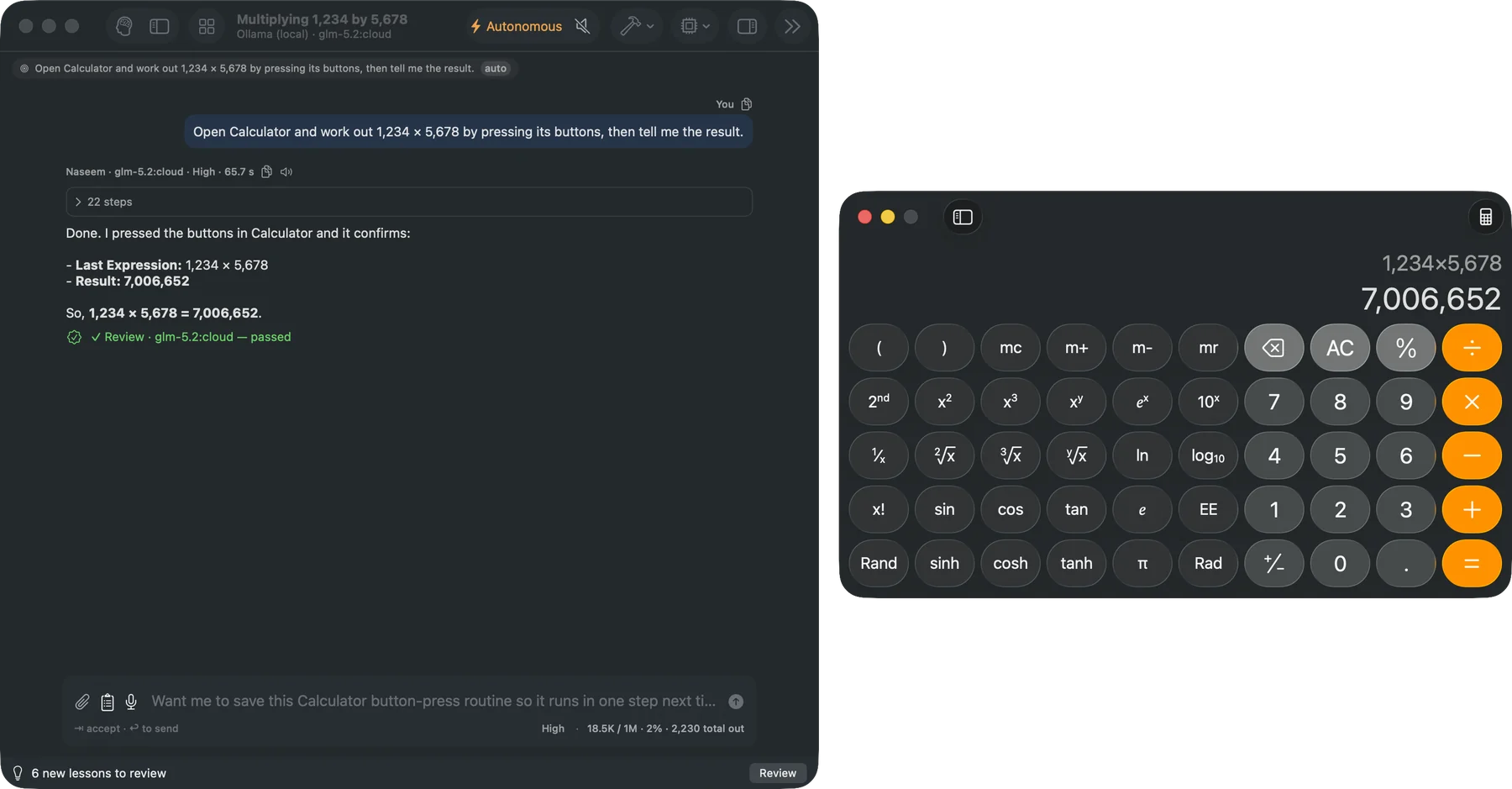
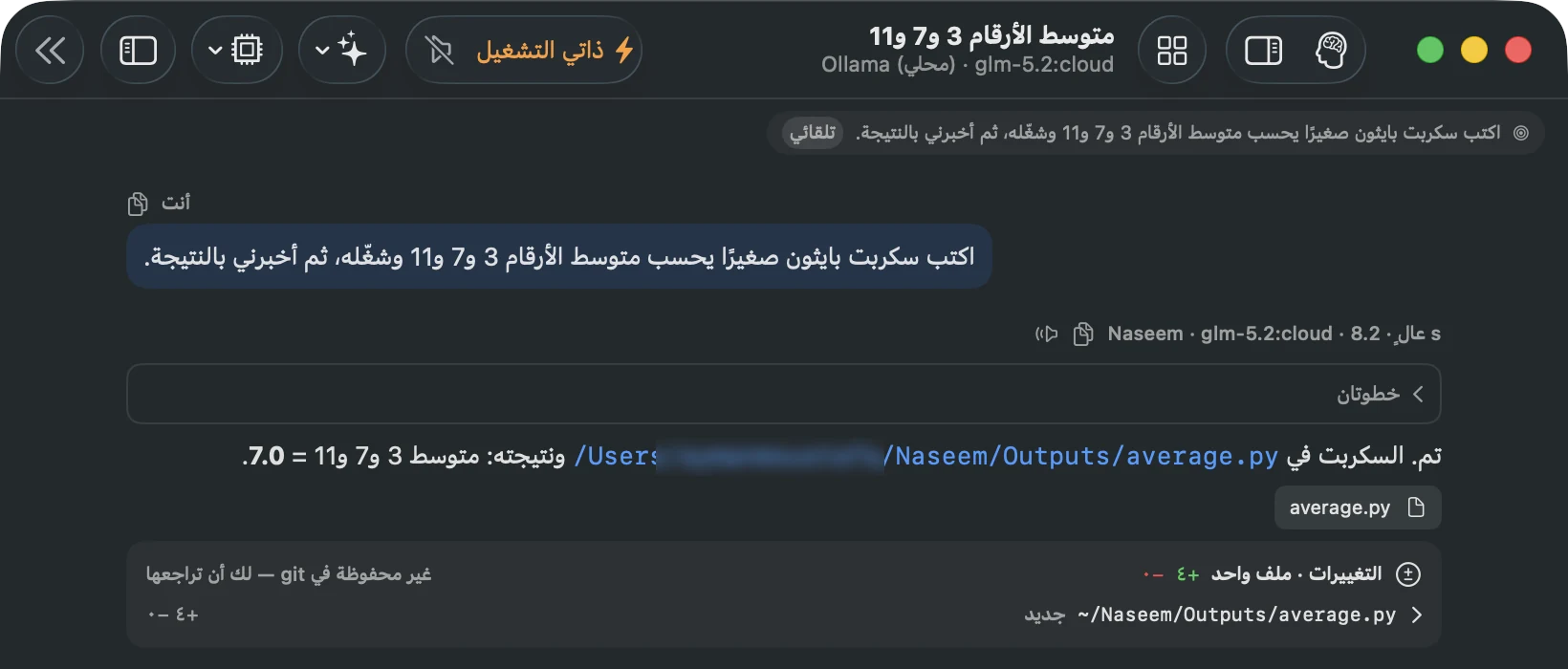
Every picture below is from a real Naseem chat on an ordinary model, captured as it happened. Click one to see the whole chat.
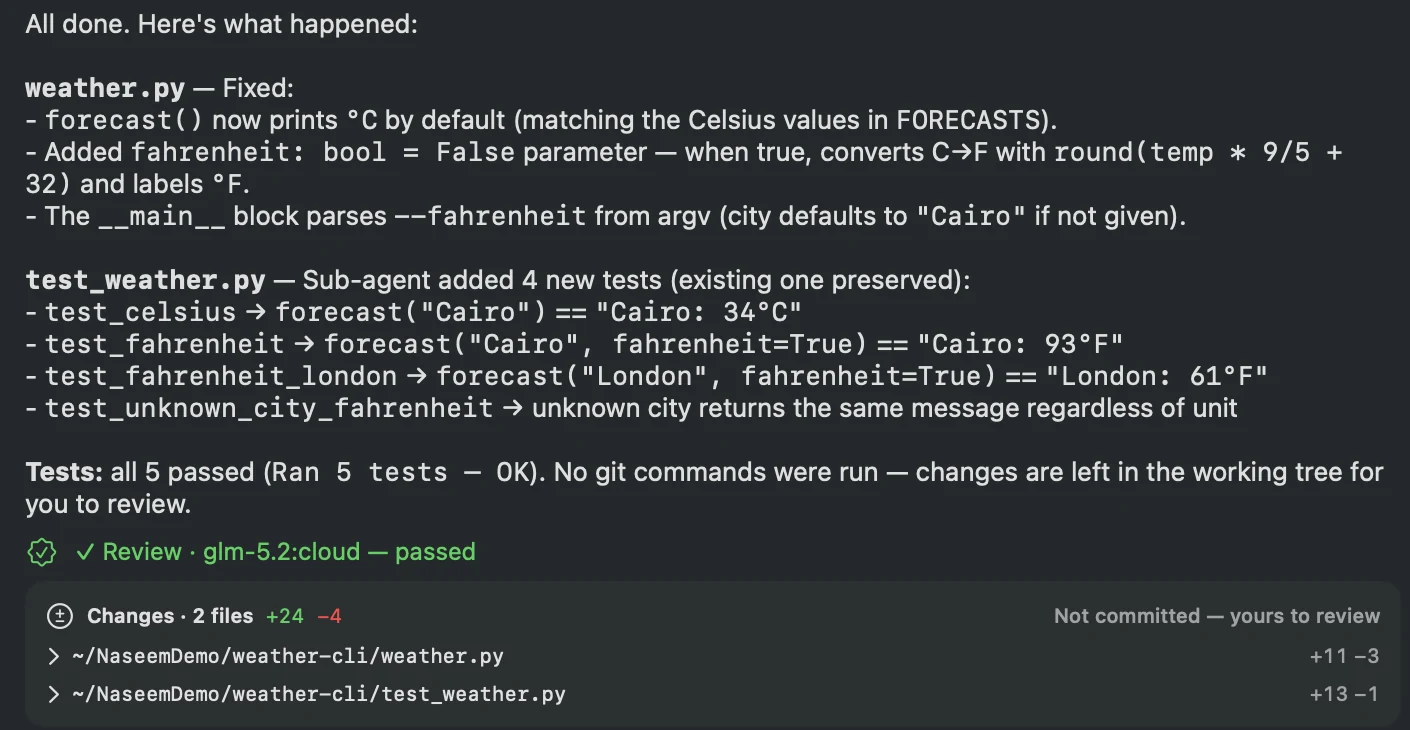
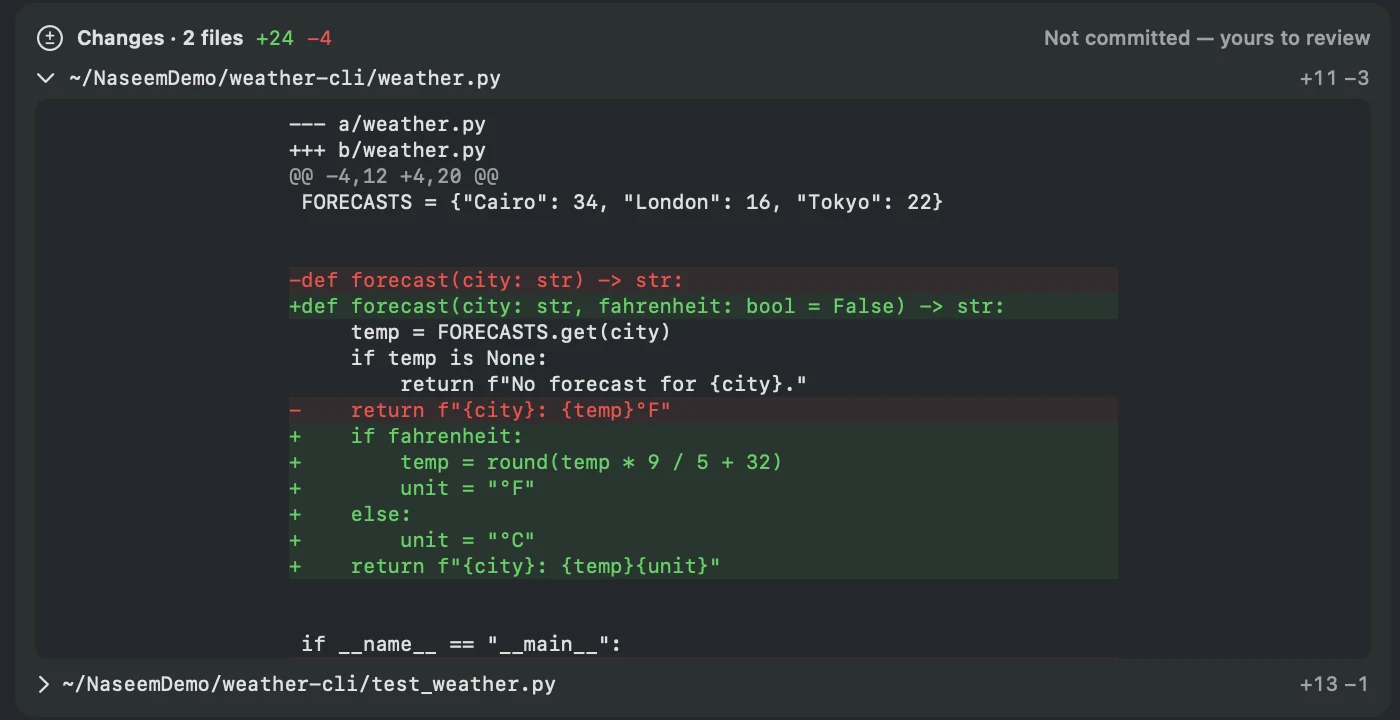
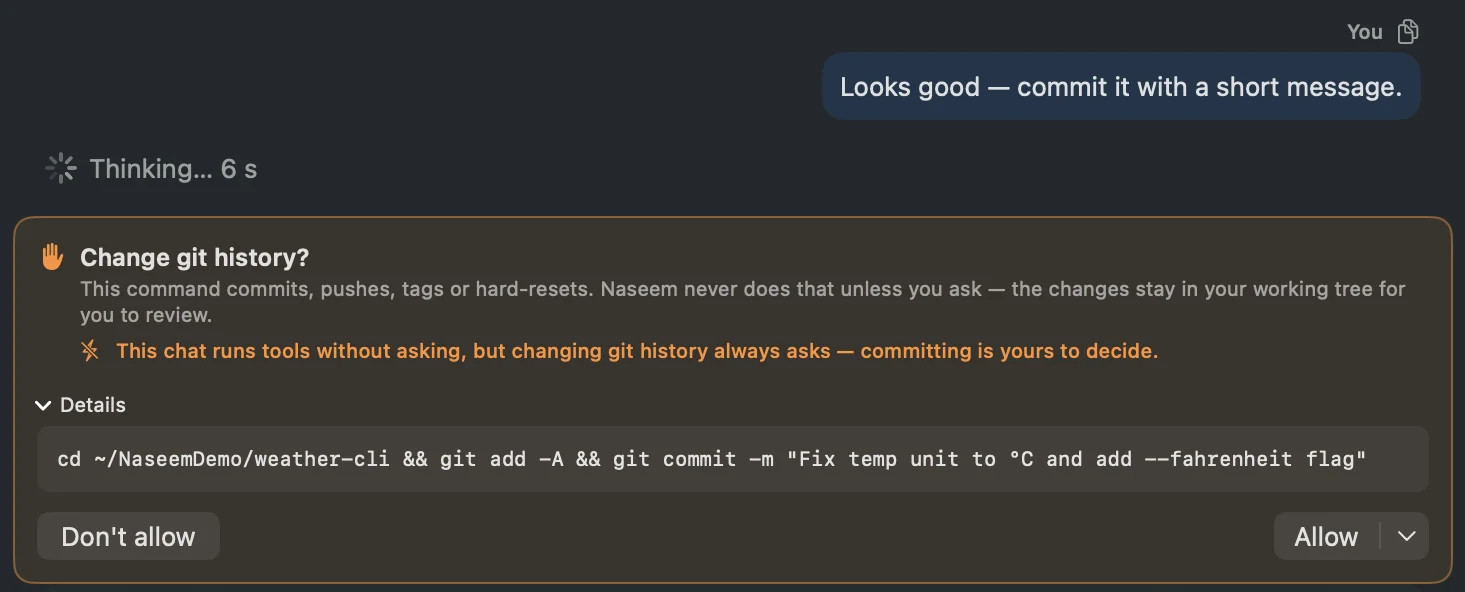
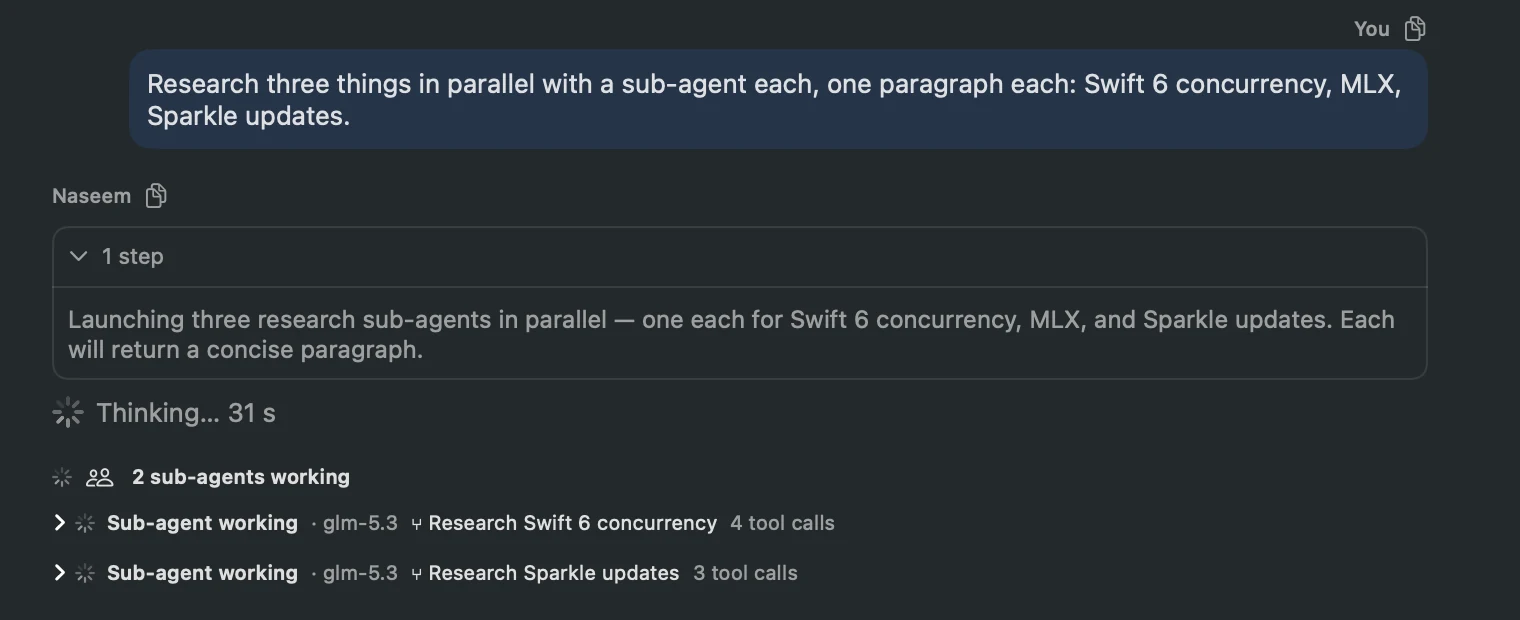
Most assistants stop at an answer. Naseem keeps going.
Inspect the project, make the change, run the tools, read the results, verify, and fix — on your real files, in your real terminal.
Works with your real files
Inspect, read, patch and create files on disk. No copy-pasting between a chat window and your editor.
Has a real terminal
git, xcodebuild, package managers, tests, scripts, Python. Your Mac's actual environment, not a browser sandbox.
Drives the Simulator
It sees the app's real buttons and labels and acts on them by name — not by guessing from screenshots.
Drives native Mac apps
The same approach through Apple's Accessibility, for GUI-only apps like Notes, Mail and System Settings.
Proves, doesn't assert
A "done" is a claim to check. A file that isn't on disk sends the reply back; a tap on a changed screen is refused.
Stays fast on long tasks
Hundreds of steps without the conversation getting heavier and slower with every one.
Nothing claimed early
Feedback from the forum has become releases within hours. A principle the app doesn't keep counts as a bug.
Conductor, not orchestra
Written entirely in Swift. It stays light while Xcode, the Simulator and the model do the heavy lifting.
Built to stay sharp over hundreds of steps.
The hard part of an agent isn't answering — it's staying useful without drowning in its own context or losing the plot.
Light on every step
Finished work doesn't pile up, so a long run stays quick and affordable.
Memory that survives restarts
Ask about yesterday's failed build and the agent pulls up the actual log.
Stays on mission
It keeps the goal in view on every step, and stops to report back instead of grinding.
Crash-safe runs
Quit mid-task and completed steps are kept; continue picks up with memory of what was done.
Free is the agent you supervise.
Pro is the agent you hand work to.
iOS Simulator driving
PROBoot, build, install, tap and swipe through the real UI, read logs, take screenshots.
Mac computer use
PRODrive GUI-only Mac apps via Accessibility — allowlisted per chat, approved per action.
Sub-agent delegation
PROHand focused pieces of a task to child agents that work side by side, with their steps shown live.
Images
PROLogos, banners, illustrations — made and edited in the chat, with your ChatGPT subscription or your OpenAI or Google key.
Telegram remote
PROTalk to your agent from your phone, including remote Approve / Deny.
Rules
PRO · BETAScheduled runs that stay quiet until something needs you — and never say "all clear" without running the check.
Profiles
Assistant, Writer, Software Engineer, QA, Automation — each with its own tools and approval policy.
On-device inference
Fully local Apple-Silicon inference with MLX. No network, private by construction.
Native tools
Terminal, files with diff-based patching, Python, PDF — behind per-call approval. Rarely used tools load only when a chat needs them.
Arabic, right to left
Switch the app to Arabic and everything follows: the layout mirrors, the start cards and labels are translated, and answers come in the language you write.
Every provider
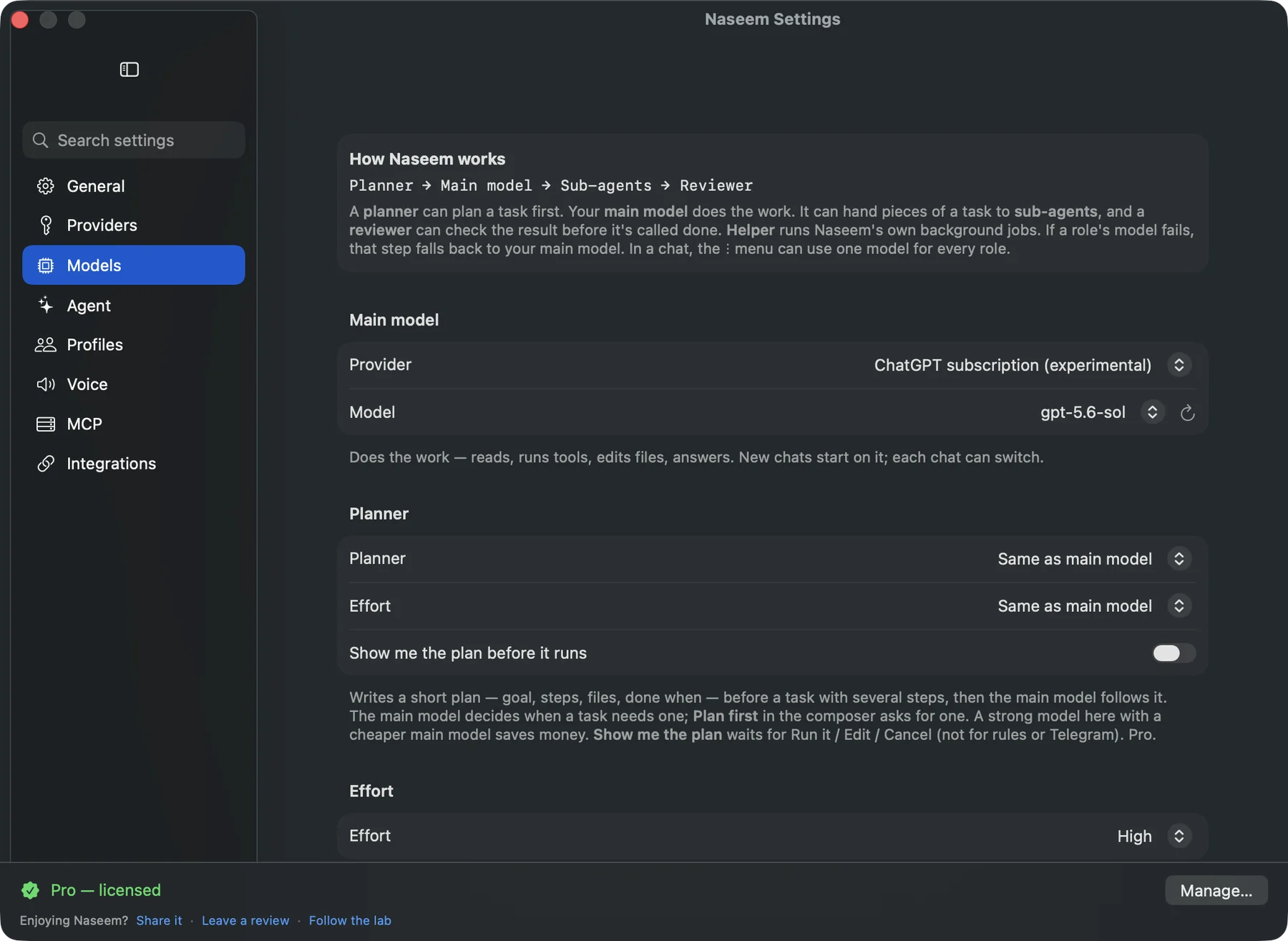
Anthropic, OpenAI, Gemini, Z.ai (GLM), OpenRouter, Ollama Cloud, local Ollama, on-device MLX.
MCP
Connect any Model Context Protocol server with a paste-whole-JSON config editor.
Memory & skills
Cross-conversation memory; recurring tasks become reusable skills you review.
Web search
Built-in web search for news, docs and prices — bring a free Tavily or Brave key.
Autonomy per chat
Ask-first or unattended, set per conversation. Profiles can lock it down, never loosen it.
Vision for any model
A text-only model still inspects screenshots through your chosen vision model.
Start cards & notes
New chats open with tasks drawn from the project notes Naseem keeps for you.
Usage & Cost
BETAMeasured tokens per call, live prices and a memory-footprint panel.
Free to start. Pro if it earns it.
Naseem uses your own models and API keys, so buying Pro doesn't lock you into another monthly AI bill.
- Every provider, including local MLX
- Conversations & up to 3 projects
- Web search, vision, artifacts
- Core tools with approval, MCP
- Memory & skills, Quick Ask
- iOS Simulator automation
- Native Mac computer use
- Sub-agent delegation
- Image generation & editing
- Telegram remote access
- Self-improving skills & custom profiles
- Unlimited projects · up to 3 Macs